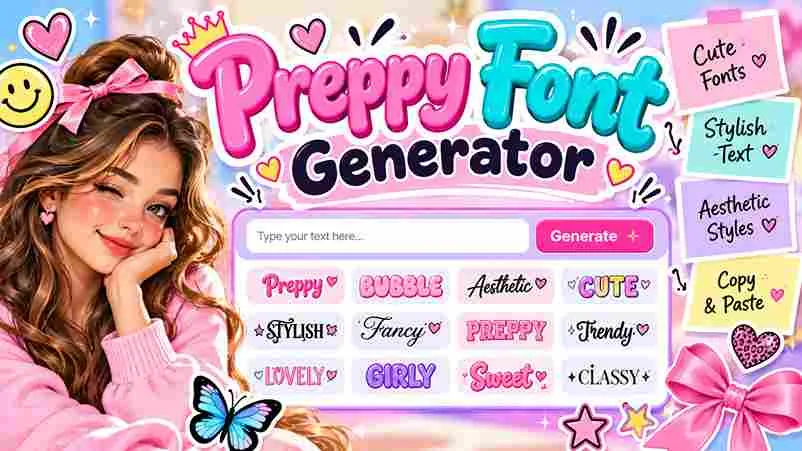

Preppy designs make everyday text feel polished without relying on installed fonts: a browser-based tool reshapes ordinary letters into decorative Unicode characters you can copy and paste into profiles, captions, or creative projects across platforms.
Because it runs in your browser, you can type your text, explore preppy font styles, and copy your favorite result on modern phones; no install or no account is needed for quick online personalization today.
Table of Contents
How Preppy Fonts Generator Work

A preppy font generator transforms a name, phrase, or plain words into Unicode text styles with a polished, social-ready look. Choose preppy fonts, preview the aesthetic, then copy lettering for captions and profiles in seconds.
For the best result, compare Cursive Font, Bubble Font, or Bold Font, check how each character appears on your device, and use copy and paste instead of installing font files before sharing across platforms online.
Where To Use Preppy Fonts / Platform Compatibility / Best Use Cases
Use Pinterest Pin layouts for quote graphics, YouTube Thumbnail designs for channel branding, and a LinkedIn Banner for profiles; choose 1080×1350 when a portrait post suits your campaign and prepare artwork for its intended platform.
Preppy text uses fancy Unicode, not installable typefaces, so platforms may display characters differently; test TikTok Story text and Twitter Post symbols on mobile, and retain plain letters where screen readers matter most to users.
Also Read: Stars Font Generator – Copy & Paste 100+ Star SymbolsPreppy Bios & Ready-To-Copy Examples
In practice, a profile pairs well with Preppy, Cursive Script, Small Caps, and Double Underline; add bows, sparkles, or hearts sparingly. These bios feel personal when a short phrase matches your everyday style without clutter.
Copy Preppy Emoji Combinations from the collection, try an Arrow Underline, then tap Copy and paste anywhere. Choose TikTok or Instagram usernames, keep normal letters readable, and test in-game Roblox names before sharing them publicly.
Preppy Font Styles
Preppy styles often balance tasteful serif fonts, balanced spacing, and understated elegance; navy blue accents can make lettering feel polished without overwhelming your name or the design. Test each option on its platform before sharing.
For bios, banners, and aesthetic profile details, pair coquette vibes with soft girl accents; test how each option appears on mobile. Distinctive Preppy Symbols can help, but readability should guide every final choice you publish.
Preppy Emojis & Symbols
Preppy emojis and symbols work best as small accents, not decoration everywhere. Pair a Bow with Blossom or a Star with Spark to give bios, captions, and display names a polished, playful finish without clutter.
Mix Flowers Decorated accents with Filled Circles only after checking their size beside your chosen letters. A tidy spacing pattern keeps symbols readable in usernames, bios, and captions, especially when several decorative marks appear together.
Also Read: Wide Text Generator – Copy & Paste Spaced TextLine Styles
Line styles can change the rhythm of a preppy design without replacing its lettering. Try Underline for emphasis, Strikethrough for playful contrast, or Spaced text when a short label needs extra breathing room on profiles.
For graphics, Outline, Drop Shadow, and Glow create stronger separation, but restraint keeps the look polished. Preview the treatment at its final size because thin strokes may disappear on smaller screens, particularly against busy backgrounds.
Accessibility Notes
Accessibility starts with clarity, not decoration: preppy typography should stay readable at small sizes, especially in social media posts, captions, and profiles. Limit decorative characters, and provide normal text whenever clarity matters most for everyone.
Some Unicode characters may not be announced correctly by screen reader, and a style can render differently across an app or device. Test plain text, keep key information in standard lettering, and avoid symbol-heavy messages.
Preppy Style Presets, Canvas & Effects
Start with cream palettes and bright accents, then test Bubble Letters, Cursive Bold, or Double Struck presets against the same phrase. Compare spacing, contrast, and personality before choosing a consistent visual direction for layouts too.
On the canvas, test shadows and outlines lightly, pairing soft elegant styles with preppy emojis or preppy symbols beside short labels. Export a clean preview as PNG or JPG, checking readability across every screen size.
Also Read: WhatsApp Font GeneratorConclusion
Choosing a free tool matters less than matching lettering to its destination. Test preppy fonts copy and paste in your profile, bio, or graphic, then check readability before publishing across platforms and devices with care.
Remember, not every platform supports identical characters; some can block a symbol or display a shape. Keep a plain-text alternative, avoid using soft decorative characters in important messages, and choose a style that feels yours.
Do I Need To Download A Font?
Usually, no download is needed: the generator creates copyable Unicode styles, so you can paste them into bios or messages. Custom font installs matter only when design software requires a specific font file locally installed.
Preppy Fonts Vs Pretty Fonts Vs Cute Letters?
Preppy fonts lean on tradition and a classic coastal American aesthetic, while pretty fonts favor elegance; cute photo captions often use playful details. Choose by mood, readability, and where your lettering will appear online today.
Will Instagram Or Roblox Support Them?
Instagram and Roblox may display playful Unicode styles differently across devices. Test your cute letters in bios, captions, usernames, and chat before sharing; unsupported characters may appear as empty boxes or vanish on phones too.
Why Do Some Styles Look Wrong?
Some styles look wrong when a platform lacks the required glyph or renders Fullwidth characters unevenly. Test a short preview, check device compatibility, and pick another style if spacing, symbols, or readability become unreliable onscreen.


Pingback: N in Cursive Fonts – Copy & Paste Stylish N
Pingback: Christmas Font Generator – 1000+ Festive Fonts to Copy & Paste